Quiet Forensics / ヘルプHelp / アカウントAccount
アカウントの使い方Using your account
ログイン、パスキー、ご注文とレポート、ドメインの確認、資産マップの使い方です。
Sign-in, passkeys, orders and reports, domain verification and the asset map.
1. ログイン1. Sign in
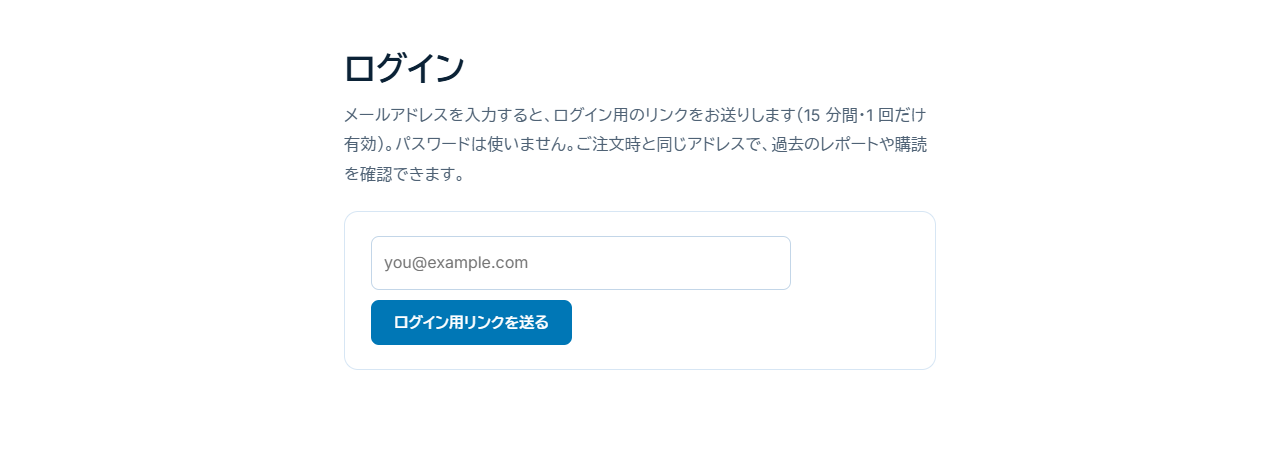
ログインページでメールアドレスを入力すると、ログイン用のリンクがメールで届きます。リンクは 15 分以内に 1 回だけ使えます。パスワードは不要です。ご注文時と同じメールアドレスでログインすると、そのご注文が表示されます。
Enter your e-mail on the sign-in page; a link arrives (once, within 15 minutes). No password. Use the address you ordered with.
2. パスキーを登録する2. Register a passkey
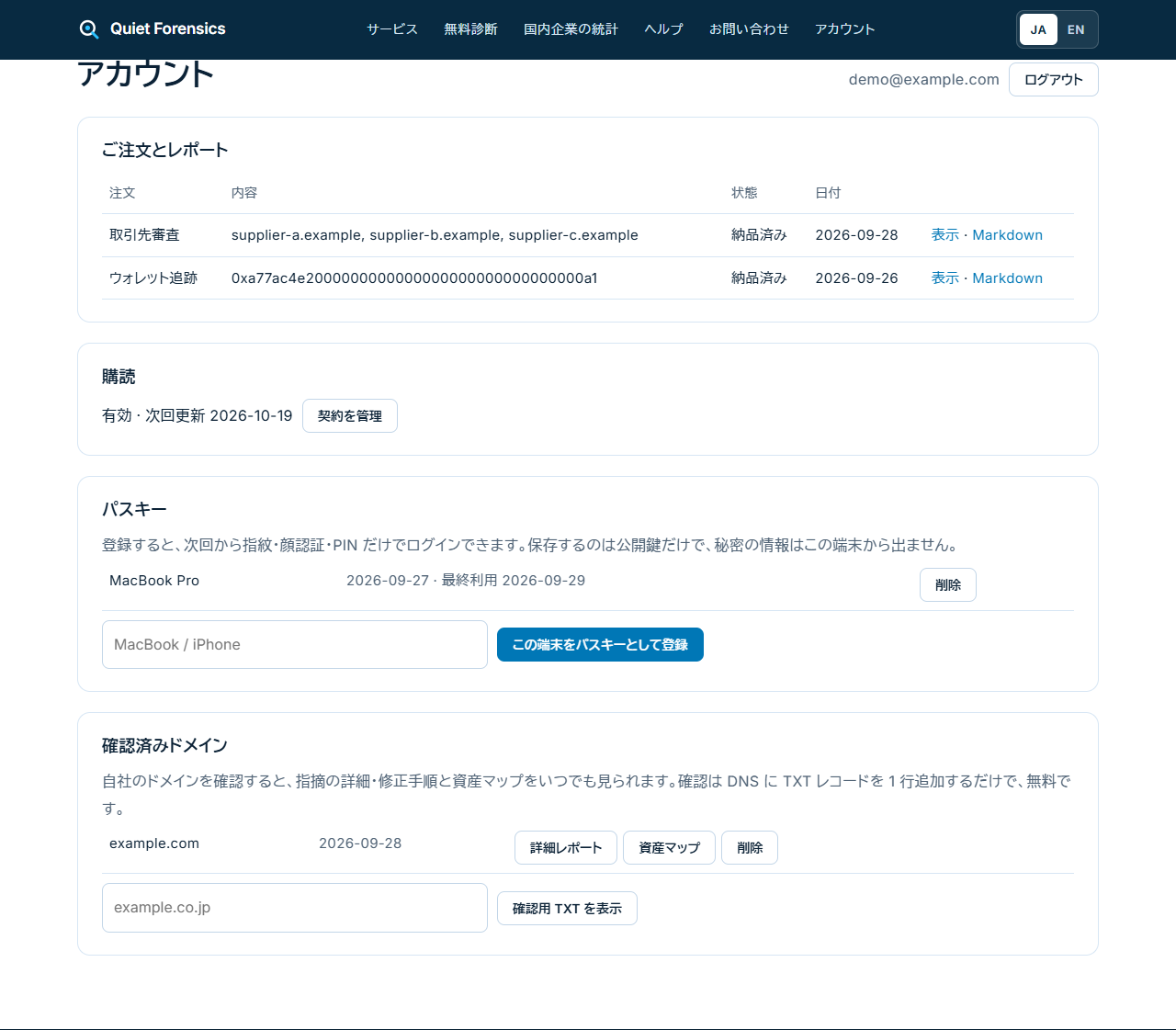
- アカウントページの「パスキー」欄に端末の分かりやすい名前(例: MacBook)を入力し、「この端末をパスキーとして登録」を押します。
- 端末の指紋認証、顔認証、または PIN で登録を完了します。
- 次回からは、ログインページで「パスキーでログイン」を押すだけでログインできます。メールアドレスの入力も不要です。
- Under "Passkeys", name the device and press "Register this device".
- Confirm with your fingerprint, face or PIN.
- Next time, press "Use a passkey" on the sign-in page.
3. ご注文と購読3. Orders and subscriptions
過去のご注文が一覧で表示され、「表示」を押すとレポートが開きます。メールで届いたリンクの期限(30 日)が過ぎても、ここからいつでも開けます。購読の解約やカードの変更は、「ご契約の管理」から開く Stripe の画面で行えます。
Past orders are listed; "View" opens the report even after the e-mailed link expires. "Manage" opens Stripe for subscriptions.
4. ドメインの確認4. Verify a domain
- 「確認済みドメイン」欄に自社のドメインを入力し、「確認用 TXT を表示」を押します。
- ドメインを管理しているサービスの DNS 設定画面で、表示された名前と値の TXT レコードを追加します。
- 数分待ってから「登録したので確認する」を押します。
- Enter your domain under "Verified domains" and press "Show the TXT record".
- Add it at your DNS provider.
- Press "verify" a few minutes later.
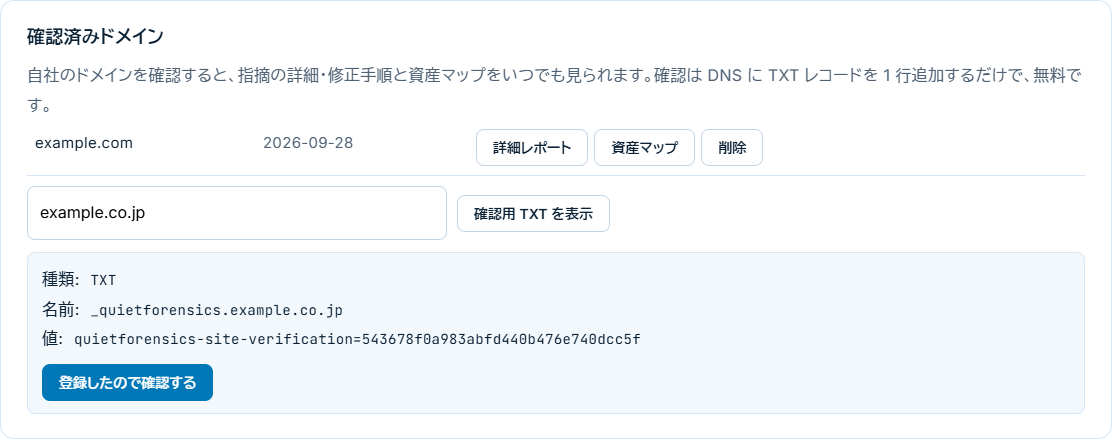
確認が済んだドメインは、あとで TXT レコードを消しても「詳細レポート」と「資産マップ」をいつでも見られます。
Once verified, the report and asset map stay available even after the record is removed.
5. 資産マップの見方5. Reading the asset map
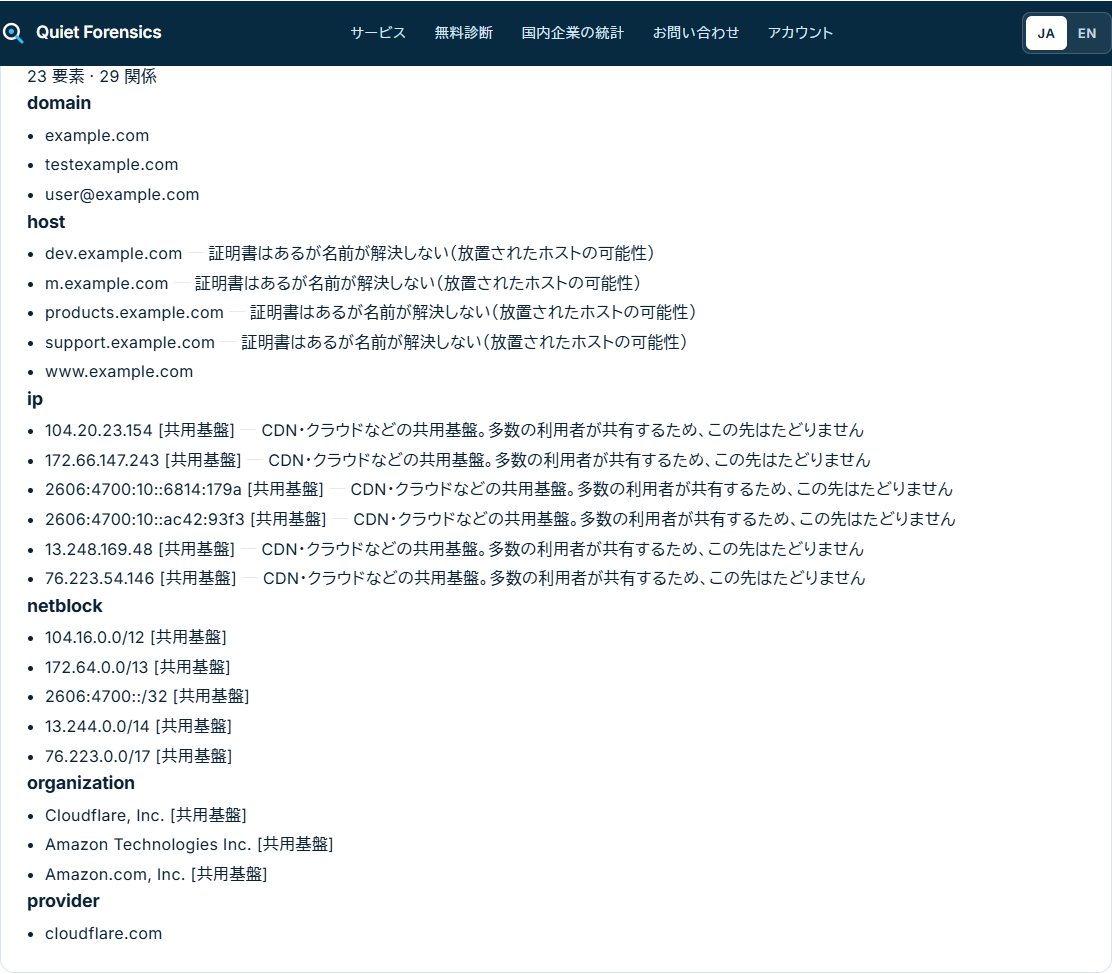
ドメインを起点に、公開情報からたどれる関連資産を一覧にしたものです。
- domain: 自社のドメインと、同じ証明書に載っている別のドメインです。別のドメインは、グループ会社や旧ブランドのものと考えられます(推定)。
- host: サブドメインです。「名前が解決しない」(DNS に登録がなく、つながらない)と表示されたものは、使われずに放置されたホストの可能性があります。
- ip / netblock / organization: 使っている IP アドレスと、その持ち主の組織です。「共用基盤」と表示されたものは CDN やクラウドで、多くの利用者が共有しているため、その先はたどっていません。
- provider: メール、DNS、SPF に使っている外部のサービスです。
- domain: yours, and others on the same certificate (possibly a group company; an estimate).
- host: subdomains; "does not resolve" may be an abandoned host.
- ip / netblock / organization: addresses and their holders; "shared" means CDN or cloud, not followed further.
- provider: outside services for mail, DNS and SPF.
よくある質問FAQ
ログイン用のリンクが使えませんThe sign-in link does not work
リンクは 15 分以内に 1 回だけ使えます。期限が切れたか、すでに使ったリンクの場合は、ログインページからリンクを送り直してください。
Links work once within 15 minutes. Request a new one.
端末をなくしました/買い替えましたI lost or replaced the device
メールで届くリンクでログインし、新しい端末をパスキーとして登録してください。古い端末のパスキーは「削除」を押すと無効になります。
Sign in with the e-mail link, register the new device, and remove the old passkey.
メールが届きませんThe e-mail did not arrive
迷惑メールフォルダをご確認ください。送信元は reports@quietforensics.com です。見つからない場合でも、ご注文時のメールアドレスでアカウントにログインすれば、レポートをいつでも開けます。
Check the spam folder; mail comes from reports@quietforensics.com. You can also sign in to your account with the address you ordered with and open the report there.